SmallRig 6649 Filter Kit – a versatile filter kit for DJI Osmo Pocket 4P
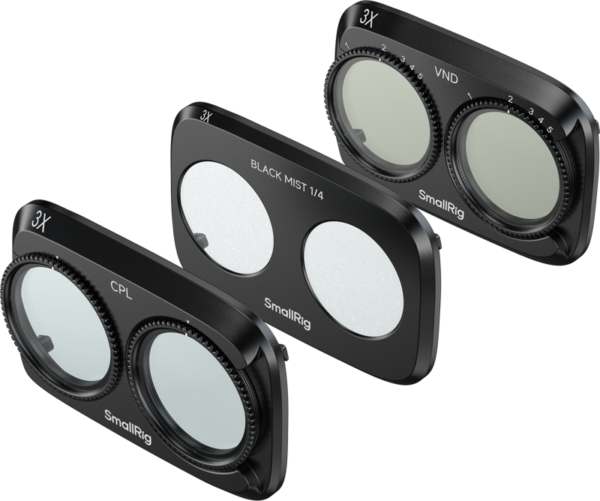
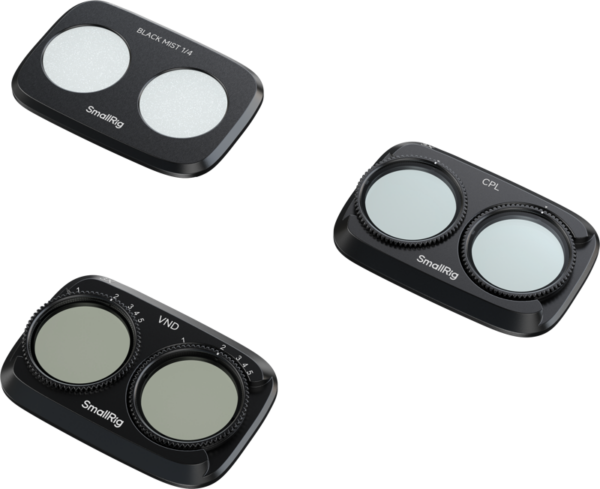
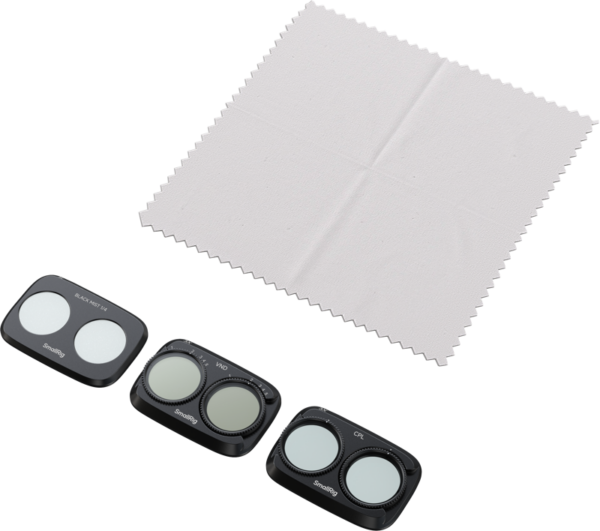
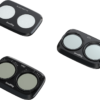
SmallRig 6649 Filter Kit is designed for DJI Osmo Pocket 4P, helping you adapt your footage to different lighting conditions and achieve your desired visual style. The kit includes an adjustable VND1–5 neutral density filter, a CPL circular polarizing filter and a 1/4 Black Diffusion filter. These allow you to control how much light enters the lens, reduce distracting reflections and soften highlights.
Suitable for travel videos, vlogs, portraits, cityscapes and everyday filming, this kit offers three filters with distinct purposes. Each lets you shape your image during recording and choose an appropriate effect for a particular scene.
Adjustable VND1–5 filter for exposure control
SmallRig 6649 Filter Kit includes a variable neutral density filter that reduces incoming light by 1–5 stops, corresponding to ND2–ND32. Adjustable light reduction allows you to fine-tune exposure without changing filters for every adjustment.
A VND filter is useful when you want to use a slower shutter speed but ambient light would otherwise make your image too bright. When recording video, it helps preserve natural motion blur and avoid the abrupt, staccato appearance associated with excessively fast shutter speeds. The appropriate filter strength depends on lighting conditions, your selected shutter speed and ISO setting.
The ND2–ND32 adjustment range provides flexibility when filming in overcast conditions, during golden hour and in daylight. In particularly bright light, whether this range provides sufficient light reduction will depend on your desired camera settings.
CPL circular polarizing filter for reducing reflections
The included CPL circular polarizing filter helps reduce reflections from water, glass and other non-metallic surfaces. This makes it useful for filming bodies of water, shop windows, car windows and glossy painted surfaces.
Reducing reflections helps reveal details that would otherwise be obscured by glare. At a suitable shooting angle, for example, objects beneath the water’s surface or behind glass may become easier to see. Filter performance depends on lighting direction, shooting angle and filter orientation, allowing you to adjust the effect while monitoring your camera’s screen.
A CPL filter complements the capabilities of a VND filter: while a neutral density filter helps control exposure, a polarizing filter primarily manages reflections and the details they can obscure.
1/4 Black Diffusion filter for a softer image
The 1/4 Black Diffusion filter softens highlights and reduces the impact of harsh lighting, helping create a gentler, more cinematic image. It is particularly suitable for portraits, evening cityscapes and atmospheric vlogs.
Diffusion can create a soft glow around light sources, adding atmosphere to your footage. A quarter-strength diffusion filter introduces a moderate softening effect, with its visibility depending on scene lighting and the light sources within your frame. This is an optical effect captured directly in your recording.
Multi-coated optical glass
SmallRig 6649 Filter Kit filters are made from optical glass with multilayer coatings. These help reduce unwanted stray light while maintaining image clarity and natural color reproduction. This is useful when matching shots and during subsequent color grading.
The filters are constructed from glass and aluminum alloy. Both VND and CPL filters measure 44.9 × 30.2 × 6.9 mm, while the Black Diffusion filter measures 44.9 × 30.2 × 4.7 mm. All filters are designed specifically for DJI Osmo Pocket 4P.
Installation and daily care
Before installing a filter, switch off your camera, remove the original filter and fit your chosen filter in the correct orientation. Keep your device switched off when removing or replacing filters. These filters are designed to be used individually and must not be stacked.
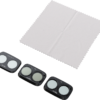
The included cleaning cloth allows you to remove fingerprints and everyday dirt from your filters. Keeping glass surfaces clean helps maintain image clarity and prevent unwanted light effects caused by smudges, especially when filming into the light or capturing night scenes.