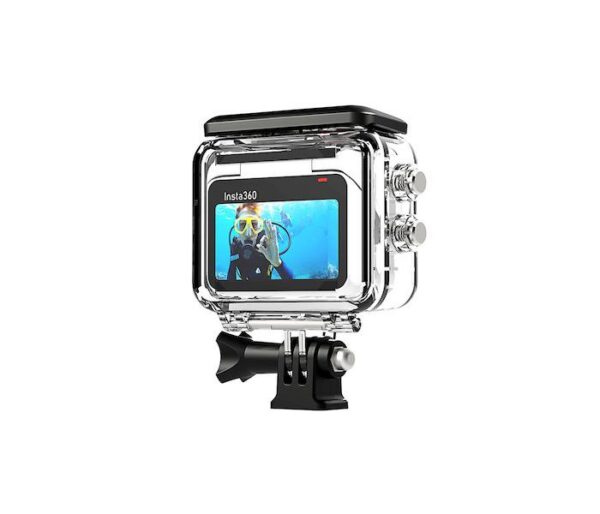
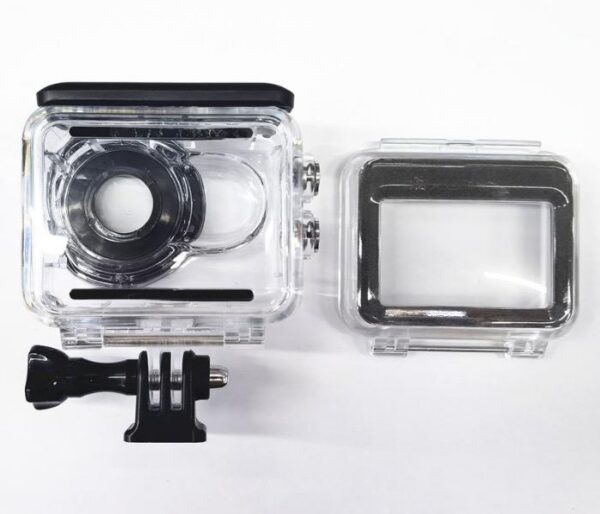
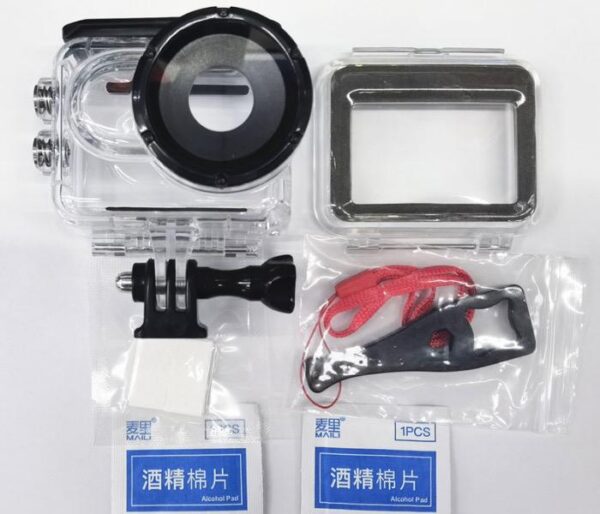
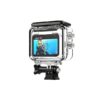
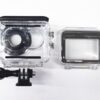
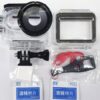
60m Screen-Touch Water-proof Case for Insta360 GO 3
20.00 €
Screen-Touch Water-proof Case – Waterproof Protective Housing with Touchscreen Support for Insta360 GO 3
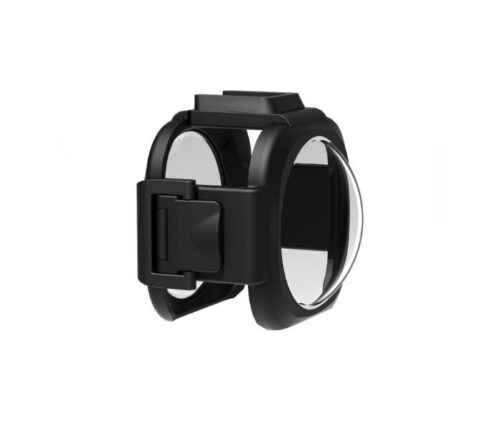
Screen-Touch Water-proof Case is a waterproof protective housing specifically designed for the Insta360 GO 3 action camera, allowing the camera to be used underwater at depths of up to 60 metres. The product’s full name is 60m Screen-Touch Water-proof Case for Insta360 GO 3, and it is designed for users who want to capture underwater adventures, diving experiences and water sports while providing additional protection against water, moisture and external damage.
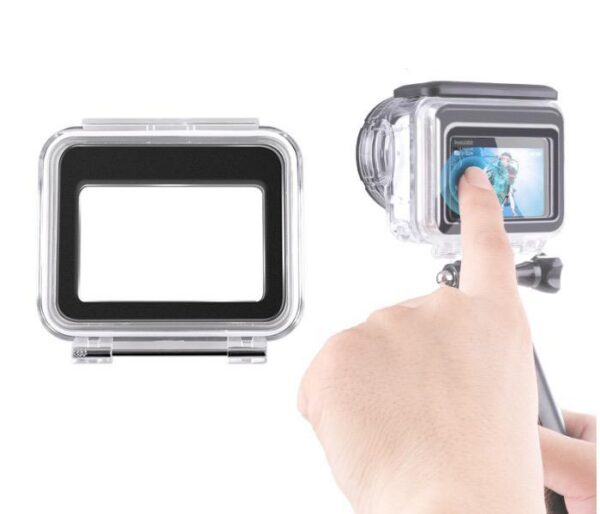
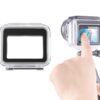
An important feature of the housing is its touchscreen-compatible design, which is intended to preserve access to the Insta360 GO 3 Action Pod’s control functions. This makes operating the camera more convenient in situations where removing it from the waterproof housing would be impractical.
Screen-Touch Water-proof Case combines waterproof protection to a depth of up to 60 metres, a design tailored to the Insta360 GO 3 camera and practical usability, making it possible to capture underwater footage even in more demanding conditions.
Waterproof Protection at Depths of up to 60 Metres
Screen-Touch Water-proof Case is designed to protect the Insta360 GO 3 camera during underwater use at depths of up to 60 metres. This depth rating makes the housing suitable for recreational diving as well as various professional underwater filming situations.
Without additional housing, the Insta360 GO 3 camera itself is waterproof to a depth of 5 metres, provided that its lens guard is correctly installed. This allows the camera to be used in shallow water, but deeper diving requires a suitable waterproof housing.
It is important to note that the Insta360 GO 3 Action Pod has only an IPX4 water-resistance rating without additional protection, meaning that it is protected against water splashes. The Action Pod is not designed to be submerged independently.
A protective housing rated for depths of up to 60 metres allows the Insta360 GO 3 camera system to be used in underwater conditions where ordinary splash resistance is insufficient.
However, the maximum permitted diving depth does not mean that the housing can withstand unlimited impacts, sudden changes in water pressure or improper use. Before every dive, the condition of the housing and the integrity of its waterproof seal should be checked.
Touchscreen-Compatible Design
Screen-Touch Water-proof Case stands out from conventional underwater protective housings thanks to its touchscreen-oriented design.
The Insta360 GO 3 Action Pod features a 2.2-inch flip-up touchscreen, which allows users to monitor the camera view, adjust settings and control recording.
A protective housing designed to support touchscreen operation is particularly practical when users want to control the camera without removing it from the case.
This can make it easier to select recording modes, check framing and configure the camera before beginning an underwater shoot.
However, underwater users should keep in mind that touchscreen operation may depend on the housing’s specific construction, water pressure and operating conditions. It is therefore advisable to check which touchscreen functions can actually be used through the housing before diving.
The possibility of touchscreen operation is a valuable advantage, especially for users who want more flexible control and better oversight of the recording process.
Design Tailored Specifically to the Insta360 GO 3 Camera
Screen-Touch Water-proof Case is intended for the Insta360 GO 3 camera system, whose compact and modular design allows the camera to be used independently or together with the Action Pod.
The Insta360 GO 3 camera measures approximately 25.6 × 54.4 × 23.2 mm, making it an exceptionally small and lightweight action camera.
The Action Pod adds a larger battery, touchscreen and additional control options. With its screen closed, the Action Pod measures approximately 63.5 × 47.6 × 29.5 mm.
A model-specific housing design is important because the internal shape of an underwater case must match the camera’s dimensions, lens position and control functions.
A properly fitted protective housing helps keep the camera in its intended position and reduces unwanted movement inside the case.
Before use, users should ensure that the camera and Action Pod are installed according to the instructions provided by the housing manufacturer.
Suitable for Diving and Underwater Videography
Screen-Touch Water-proof Case is a practical accessory for users who want to capture the underwater world with their Insta360 GO 3 action camera.
Waterproof protection to a depth of up to 60 metres makes the housing suitable for a variety of diving and underwater filming activities.
For example, the housing can be used to capture coral reefs, fish, underwater landscapes and other natural environments.
It is also suitable for travel situations where users want to film swimming, snorkelling or other water-related activities.
For more advanced underwater videography, the ability to position the camera at different angles and record stable, detailed footage is particularly important.
The protective housing allows the camera to be used in environments where water pressure or direct water exposure would otherwise pose a risk to the device.
When diving, users must always observe both the housing’s maximum permitted depth and the relevant diving safety requirements.
Insta360 GO 3 Video Recording Capabilities Underwater
The Insta360 GO 3 is a compact action camera capable of recording high-quality video in a variety of environments.
The camera supports video recording at resolutions of up to 2.7K, equivalent to 2720 × 1536 pixels at up to 30 frames per second.
This resolution allows users to capture detailed underwater footage, including fish, aquatic vegetation and views encountered while diving.
The camera also uses FlowState image stabilisation, which helps reduce movement-induced shake and supports smoother video recording.
This is particularly useful underwater, where the camera may move with the user’s hand, swimming movements or water currents.
Screen-Touch Water-proof Case makes it possible to use the Insta360 GO 3’s recording capabilities underwater while providing the necessary physical protection.
It should be noted that the housing itself does not increase the camera’s maximum recording resolution or change the technical characteristics of its image sensor.
Underwater image quality is also influenced by water clarity, available light, diving depth and the cleanliness of the housing’s optical window.
Additional Protection Against Water, Moisture and External Factors
When filming underwater, it is important to protect the camera not only against water but also against various environmental influences.
Screen-Touch Water-proof Case provides an additional protective barrier around the camera, helping reduce direct exposure to water, sand and other external elements.
This is particularly important at the beach, on a boat, during diving trips or in other situations where the camera may come into contact with moisture and dirt.
The housing can also help reduce the risk of accidental surface scratches during handling or transportation.
However, waterproof housing does not make the camera completely impact-proof or shockproof. Strong impacts, drops and pressure from sharp objects can damage both the housing and its seals.
The protective case should therefore be handled carefully, and situations that could damage its construction or compromise its waterproof performance should be avoided.
Optical Window Cleanliness and Underwater Image Quality
The quality of underwater video recordings depends significantly on how clean and transparent the optical window in front of the camera lens is.
If dirt, water droplets or fingerprints accumulate on the window, they may affect the sharpness and contrast of recorded footage.
When using Screen-Touch Water-proof Case, it is therefore important to keep the protective surface in front of the lens clean.
Before filming, users should check that the optical window is free from scratches, dust and other particles that could affect image quality.
Underwater, the colour and intensity of light change with depth. Red and warm tones are absorbed more quickly, which can make footage recorded at greater depths appear increasingly blue or green.
To achieve the best possible results, suitable camera settings should be selected, taking the available lighting conditions into account.
After use, the optical window should be gently cleaned with a suitable soft cloth.
A Practical Accessory for Travel and Active Holidays
Screen-Touch Water-proof Case is suitable for users who take their Insta360 GO 3 camera on trips and outdoor adventures.
The compact action camera is a convenient companion when capturing movement, nature and different activities.
A waterproof protective housing expands the camera’s possibilities by allowing video recording at greater underwater depths.
For example, the housing can be useful on diving holidays, during snorkelling, on boat trips and on underwater excursions.
In addition to underwater use, the housing helps protect the camera in humid environments and situations where the device may be exposed to water splashes or dirt.
This makes Screen-Touch Water-proof Case a practical accessory for users who want to make their Insta360 GO 3 camera as versatile as possible.
Correct Installation Before Diving
Correct installation is particularly important when using waterproof protective housing.
Before placing the Insta360 GO 3 camera inside Screen-Touch Water-proof Case, users should ensure that the camera, housing and all sealing surfaces are clean and dry.
Sand, dust, hair or other foreign particles caught between the seals can prevent the housing from closing properly.
The camera must be positioned inside the housing according to the manufacturer’s instructions, ensuring that it is correctly aligned.
The housing should then be carefully closed, and all locking mechanisms must be checked to confirm that they are properly secured.
Before the first underwater use and after prolonged storage, it is advisable to test the housing’s waterproof integrity without the camera inside, following the manufacturer’s instructions.
If the housing or its seals show visible damage, it should not be used underwater until the problem has been resolved.
Correct installation and regular inspection help reduce the risk of water entering the housing and damaging the camera.
Maintenance After Use in Salt Water
Proper maintenance of Screen-Touch Water-proof Case after diving helps preserve its reliability and extend its service life.
Seawater contains salts that can accumulate around the housing’s joints and moving parts as the water dries.
After use in salt water, it is therefore recommended to rinse the closed protective housing with clean fresh water.
Before opening the housing, its exterior should be thoroughly dried to prevent water from reaching the camera.
After removing the camera, users should inspect the seals and locking mechanisms and remove any dirt.
The housing should not be dried using excessive heat or hot air, as high temperatures may damage its materials and seals.
Abrasive cleaning agents should also be avoided because they may scratch transparent surfaces.
For long-term storage, choose a clean, dry location where the housing is protected from excessive heat and direct sunlight.
Compatibility with the Insta360 GO 3 Camera System
Screen-Touch Water-proof Case is designed for use with the Insta360 GO 3 action camera.
The Insta360 GO 3 is a modular camera system in which the small camera module can be used independently or together with the Action Pod.
The Action Pod provides additional battery capacity and a 2.2-inch touchscreen, making camera operation and framing more convenient.
Because the product’s full name is 60m Screen-Touch Water-proof Case for Insta360 GO 3, compatibility with the Insta360 GO 3 model should be the primary consideration when selecting this housing.
The Insta360 GO 3 and Insta360 GO 3S are different camera models, and accessory compatibility should not automatically be assumed to be identical.
Likewise, protective housings designed for the Insta360 GO 2 or other Insta360 cameras should not be assumed to fit the GO 3.
Before purchasing and using the housing, users should check the specific manufacturer’s compatibility information.
Related products