
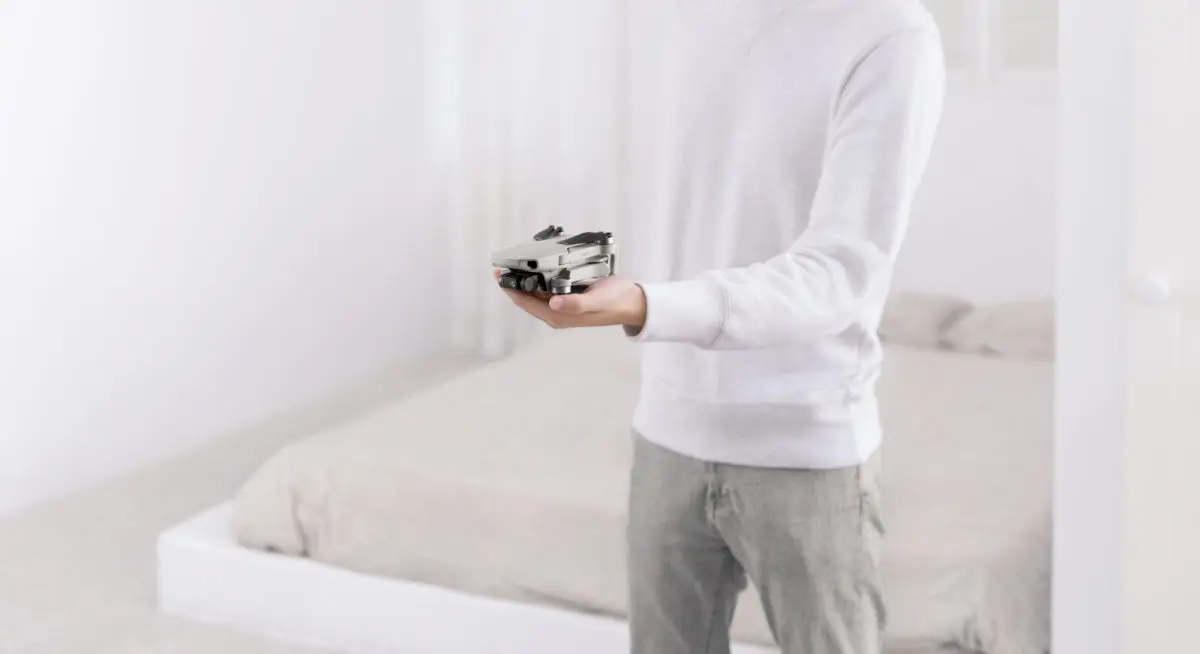
In the early days of droning, people were fiddling around trying to find ways to get big film and SLR cameras into the sky (of course, I’m not suggesting that this isn’t happening now). But this required large and heavy drones, and their flight times generally tended to be short because of their weight. As solutions were sought and found, further thought was given to how to make it all more compact. Over time, this led to the ‘miniaturisation’ of camera mechanisms and their incorporation into smaller bodies. After the camera was downsized, the focus turned to making drones more compact, because a smaller camera could also be attached to a smaller drone that could be easily folded and unfolded. The result was the DJI Mavic series, which was extended on 30 October.
Namely, DJI released a new aircraft called the Mavic Mini, which is so far the lightest and most affordable (both in price and size) drone DJI has ever made (with the exception of the Tello, which is actually also made by DJI but the design and technology belongs to Ryze Tech).

But why Mavic Mini? The Mavic 2 or Mavic Air are also foldable and can be “thrown” in a bag or wherever.
In fact, the main reason is very simple: drone flying is global, it’s popping up and it brings rules and regulations that are tightening over time. Regulations currently vary from country to country, but from 2020 the European Union will try to harmonise drone flight rules. Simply put, there are already many countries where all aircraft weighing more than 250g will have to be registered and pass a pilot’s test. So, if you want to go to Canada with your 907g Mavic 2 Pro, for example, you’ll have to register your drone and apply for a drone pilot certificate (and of course pay a bit depending on the country, some can cost several hundred euros). This is where the Mavic Mini’s biggest advantage comes into play, which is its weight – 249g. This weight number classifies the Mavic Mini as a “toy”, but let’s see if it is really a toy, or if it still has a greater utility.
So what’s in the box?
Before we dive into the boxes, let’s make it clear that the Mavic Mini is available in two variants – the Mavic Mini (399€) and the Mavic Mini Fly More Combo (499€). We opened the latter, and since the eye is king, the video below is the best way to see what was inside the box:
We found it in the box:
-1x Mavic Mini drone
-1x control panel
-3x Intelligent battery
-3x Propellers (pair)
-2x Micro-USB cable
-1x Gimbal protection
-1x Remote control cable (Micro-USB)
-1x Remote control cable (Type-C)
-1x Remote control cable (Lightning)
-1x Spare handlebars (pair)
-18x Spare screw (for propellers)
-1x screwdriver
-1x 360° propeller protection
-1x Two-way charging dock
-1x 18W USB charger
-1x Carrycot
-1x Silica gel bag (well, to keep the contents of the box dry, it’s not good for eating 🙂 )

Let’s break down the most important components in a bit more detail (we’ll leave the drone for last, of course).
What about the remote control?
The controller is relatively similar in appearance and shape to the Mavic Air and Spark.
The biggest changes are:
-There is no scroll wheel or button under the right-hand side shutter button.
-Micro-USB port located on the side only
-Pause, FN and Sport mode buttons are removed.
Ideally the same, but simplified. The battery capacity is 2600 mAh, and you should be able to charge the remote in about 120 minutes (using the included adapter or other QuickCharge 2.0-enabled products).

What battery does the drone use?
Mavic Mini uses Li-ion 2S batteries (Mavic 2 Pro uses LiPo 4S batteries, for example). DJI’s site also lists LiPo 2S’s, which have a smaller capacity and are intended for the Japanese market. With a battery for the Japanese market, the drone would weigh 199g, but it also comes with half the battery capacity – 2400 mAh vs 1100 mAh. What’s amazing about this battery of course (we’re talking Li-ion 2S again) is the battery life – up to 30 minutes. That 30 minutes is of course quite ideal and in reality it will certainly vary but as far as we tested with intermittent success, we got over 20 minutes on each flight – we simply didn’t need more than that so far. It takes around 90 minutes to fully charge the battery (using the included adapter or other QuickCharge 2.0 enabled product).
How do I borrow a battery?
A two-way charging dock is included to facilitate battery charging. The word ‘bidirectional’ certainly raises questions. What is meant by this is that the charging dock can also be used as a battery bank, and also allows charging of the remote control (or other device). The dock does not charge the remote and the batteries at the same time (I also mention that there is no simultaneous charging of batteries, just in case). The charging dock has a power button that activates the battery bank function. The Micro-USB end can be used to charge the batteries (the drone itself also uses Micro-USB). Micro-USB may also be another questionable decision on DJI’s part, as most after all use the Type-C interface, as well as the Mavic Mini’s predecessors.

Can propellers still be replaced with a knife and fork?
The Mavic Mini does away with the use of the quick-release propellers that you’ve grown accustomed to. With this drone, you’ll need a screwdriver to change the propellers. As for the propellers, having previously been in contact with the Spark and the Mavic Air, I expected the Mavic Mini to produce a particularly wicked fine pinch. But fortunately I was wrong and it is an extremely quiet drone.

Are we talking about drones now?
Finally, we come to the drone itself. The Mavic Mini is like other top drones of today – compact, with folding legs, easy to fly, stable, easy to control and with a three-axis camera. The plastic doesn’t feel so strong and similar to the ‘DJI plastic’ you’ve previously encountered when you first hold it. Also, the drone even feels fragile and delicate, but you get used to that pretty quickly. This feeling is definitely amplified by the weight of the drone, which was 249g (and in fact the drone itself weighs about 149g without battery), and its small size. The dimensions of the drone when folded are 140x82x57mm (I put aside the iPhone XS Max for comparison), which even allows the drone to be put in a pocket let alone a bag. The only concern for such a light and tiny drone might be the wind, but for the moment I haven’t flown in any strong winds.

Will it stop before the wall?
If we now start talking about sensors, we can quickly summarise this topic, as there are basically no sensors. As a design element, there are some sort of eyes glued to the drone and there are sensors on the bottom of the drone to help with positioning, but there are no sensors that would prevent emergency situations on the Mavic Mini. To compensate for this, 360° propeller protection is then available. Just in case, I’d recommend using them with this drone at every opportunity. The addition of propeller guards, however, makes this mini drone several times bigger and it won’t fit in your pocket.
Don’t worry too much about the lack of sensors, though – the drone still maintains altitude and position very well, even in quiet, GPS-denied places.
Flying far?
The drone uses “enhanced” WiFi, which may come as a bit of a disappointment as all the newer DJI drones so far have already been converted to OcuSync, which provides a more reliable signal and greater range. According to the website, the signal from the remote control and the video transmission from the drone in Europe (CE) covers 2000 m at 2.4 GHz and 500 m at 5.8 GHz.
variable, and I have not yet gone to the maximum distance with this drone. However, it is a rather small drone and has no sensors to avoid obstacles, so you should always realistically assess the situation and the risks before attempting a range.
Will you take a picture and a video?
The Mavic Mini is the most powerful camera on the market compared to the Phantom 3 Pro, but with slightly less performance. There are 12 megapixels for stills and video can be shot at 1080p 25/30/50/60p or 2.7K 25/30p resolutions. For video, auto-mode is the only option, and the video itself is quite compressed – the maximum bitrate is 40 Mbps and the only format is MP4 H.264. There are also no facilities such as D-Log or custom user profiles. When shooting, you can slide on manual mode, which allows you to tweak ISO and shutter speed a bit.
At least, that’s what I had in the beta version of the app. In fact, adding a video manual mode, for example, should be something that could be added with a software update, so we’ll have to wait for future updates. At this point I’ll also mention that there will be a new app coming with the drone, but I wouldn’t talk too much about that at the moment, because the final version might be something completely different. To sum up, this is a rather simplified piloting application. At first glance, I didn’t notice intelligent modes like ActiveTrack (probably omitted due to the lack of sensors) or panorama photo recording, but again – should be software add-ons.
But back to the camera issue. Add to this the fact that the drone doesn’t output RAW (in addition to the lack of 4K), and it’s bound to leave advanced drone photographers and videographers relatively cold. At the same time, this drone isn’t aiming to be a top-tip in terms of quality and for capturing great cinema-like shots. The Mavic Mini’s performance is perfectly adequate for the average user, and the 2.7K video and 12MP camera JPG image are perfectly respectable and sharp, especially at this price point. And the 3-axis gimbal is a definite advantage over the Spark. Here are some examples of the Mavic Mini’s camera capabilities (Kaupo’s image is a bit “tuned”, Karl’s is completely raw):


So what is the Mavic Mini after all?
The Mavic Mini couldn’t be immediately categorised as anything directly similar – it folds up like previous Mavic series drones, is smaller than the Spark, and uses a camera on par with the Phantom 3 Pro. It’s like something has been taken from everywhere and put to use, but there’s no direct aircraft like it on the market. If I had to categorize a drone in some way, I’d put it in there somewhere between first-drone-get-it-and-take-it-everywhere-else-(especially-abroad). The simplest thing would be to point out the pros/cons and then let everyone decide what to do with the information. You just have to take into account that generally, making something bigger (smaller in the case of the Mavic Mini) has to come at the cost of something. One thing is for sure, however, the Mavic Mini is one of the best value for money in this price class.
The DJI Mavic Mini comes with a wide range of accessories, this glass dome has a charging dock that looks particularly interesting.

+
Weight less than 250g
Compact
Simple app
Long battery life
Surprisingly stable considering the drone’s small size
The most powerful drone in this price class
–
4K shortage
RAW shortage
Lack of sensors
Uses Wi-Fi (no OcuSync built-in)
Micro-USB use

If you are interested or have any further questions, please contact us by e-mail info@droon, phone +372 58351267 or come to our showroom at Villardi 22, Tallinn.