
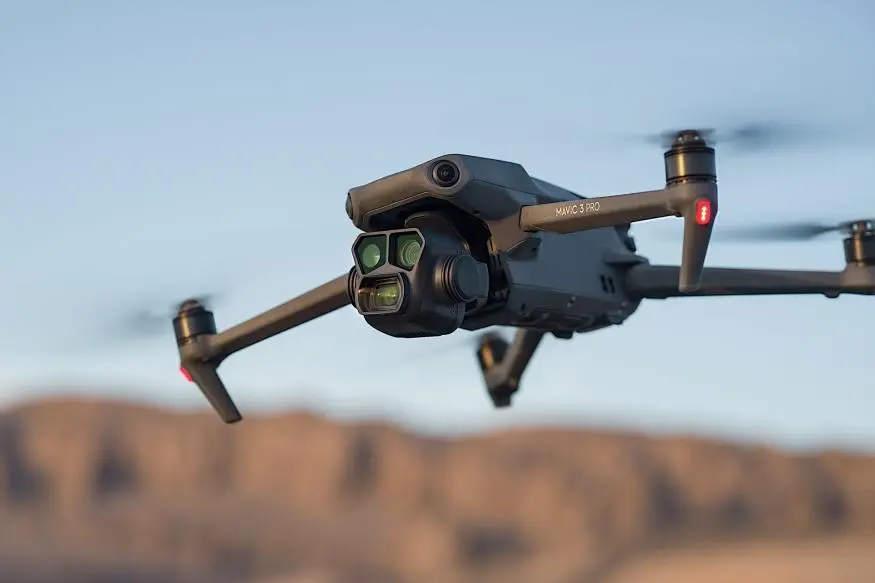
DJI unveiled software updates for the entire Mavic 3 series range of drones in September.
First came the refresh of the Mavic 3 Enterprise series of drones – Mavic 3 Enterprise, Thermal and Multispectral. These were followed just a few days later by updates for the Mavic 3 Pro, Mavic 3 Pro Cine, Mavic 3 Classic, Mavic 3 and Mavic 3 Cine.
Mavic 3 series
The biggest addition to the standard Mavic 3 series is arguably the addition of Vision Assist. Vision Assist is an innovative flight safety feature that makes it easier to anticipate and spot potential obstacles in flight. To view Vision Assist, simply click on the mini-map on the bottom left of the control screen and swipe right.
When the function is used, the screen edges turn yellow or red depending on the distance of the obstacle. A yellow warning means that the distance between the drone and the obstacle is between 2.2 and 5 metres. If the obstacle is less than 2.2 metres from the drone, a red warning is displayed. Note that this warning only appears when Vision Assist is displayed in the small window. Note that this warning only appears when Vision Assist is displayed in a small side window, not when it is displayed across the entire screen.

Another thing to keep in mind is that using Vision Assist reduces the video output to 720P, which can result in a slightly blurred camera view.
Vision Assist is helpful for example on retreating flights, in low light conditions and certainly when filming with a zoom camera – telephoto lenses can sometimes make it difficult to judge distances due to their narrow field of view.
Video provider
00:00
00:06
Another is AR technology, which visualises the drone’s circling path and home point directly on the screen. The visualisation of the drone’s flight trajectory in the real environment helps to better prepare for avoiding potential obstacles and ensuring flight safety.

Here is the full list of updates:
- Added Vision Assist.
- AR Home Point, AR Return-to-Home Route and AR Aircraft Shadow have been added.
- Added vision positioning and obstacle detection button.
- Several minor bugs fixed.
Information from the manufacturer can be found HERE.
Mavic 3 Enterprise / Thermal
For the Mavic 3 Enterprise and Mavic 3 Thermal updates, the most significant update is Find My Drone – the Find My Drone feature has been available on the standard series of drones for years, and now it’s finally available on these models. This feature makes it easier for you to locate your drone if you forget your drone, for example, after working on an object or if an emergency landing occurs.

Here’s a list of the other updates that come with the latest Mavic 3E and Mavic 3T firmware updates:
- Added the ability to view downloaded photos and videos in an album on the controller even when the drone is switched off.
- Added the possibility to import geo-zone disconnection licenses offline.
- Added Fixed Angle Shot for waypoint operations. You can set the gimbal pitch, drone orientation and camera zoom ratio.
- Optimised control panel software compatibility to avoid anomalies caused by software downgrades.
- Optimized Payload SDK to provide more secondary development features.
- Optimised DJI Pilot 2 information distribution (e.g. alerts).
- Known issues to improve the user experience were resolved.
Information from the manufacturer can be found HERE.
Mavic 3 Multispectral

As with the Mavic 3 Enterprise and Mavic 3 Thermal, the Mavic 3 Multispectral has the Find My Drone feature. In addition, the RGB camera has a new JPEG setting, which should be useful for precision agriculture and environmental monitoring tasks. Also supported are the new TIFF-16bit and TIFF-8bit formats.
Here are all the updates that come with the latest software update:
- Added the ability to view downloaded photos and videos in an album on the controller even when the drone is switched off.
- Added the possibility to import geo-zone disconnection licenses offline.
- Added Fixed Angle Shot for waypoint operations. You can set the gimbal pitch, drone orientation and camera zoom ratio.
- Optimised control panel software compatibility to avoid anomalies caused by software downgrades.
- An optimised interactive experience when uploading mapping photos to the DJI SmartFarm platform.
- Optimized Payload SDK to provide more secondary development features.
- Optimised DJI Pilot 2 information distribution (e.g. alerts).
- Changed EXIF field to increase the possibilities of third-party software.
Information from the manufacturer is HERE.