
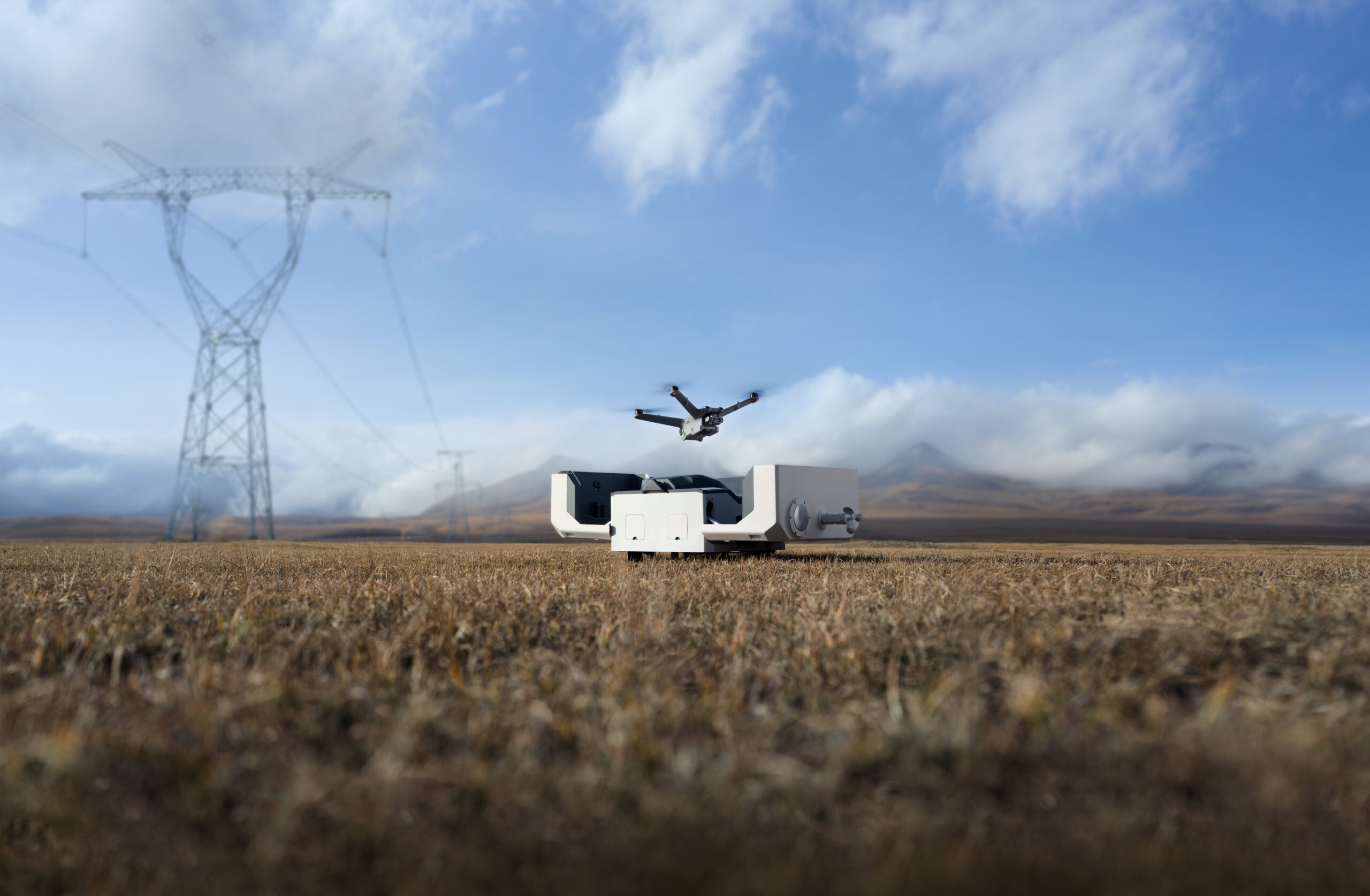
Everything you need to know about the DJI Dock 2
Although the technology of the automatic drone base started back in the late 1960s, it has evolved considerably and is attracting a lot of attention in various sectors. From agricultural mapping and infrastructure inspection to emergency response and security monitoring. This solution offers a fully automated and rapidly deployable technology.
How does the drone dispenser system work?
Drone auto-pilot technology has led to a major breakthrough in autonomous UAV (unmanned aerial vehicle) operations. It involves a system where drones are stored, loaded, sent into the air, and finally called back to land. Such a self-contained and often portable unit is commonly referred to as a ‘station’ or ‘booth’, which acts as an automated base and service station for the drone. Compared to conventional drones, automated drone stations require minimal human intervention as the systems take care of health checks, loading and uploading data themselves.
Industry applications
Automated trucks are used in various industries precisely because of their wide range of applications. Here are some of the areas where this technology has already proven itself:
- Measuring and mapping: optimises land and resource management by providing detailed images and data of both air and land, which in turn allow more accurate measurements and real-time monitoring of changes.
- Public safety: improves emergency response strategies by enabling the rapid deployment of drones for search and rescue operations, analysis of accident sites and disaster management.
- Infrastructure maintenance: facilitates inspection of critical infrastructure such as bridges, power lines and wind turbines. Automatic and continuous inspection helps to identify problems before they become serious, reducing stoppages and maintenance costs.
Drone automation stations are able to operate autonomously 24/7, automating tasks and improving efficiency and safety in various industries.
DJI Dock 2
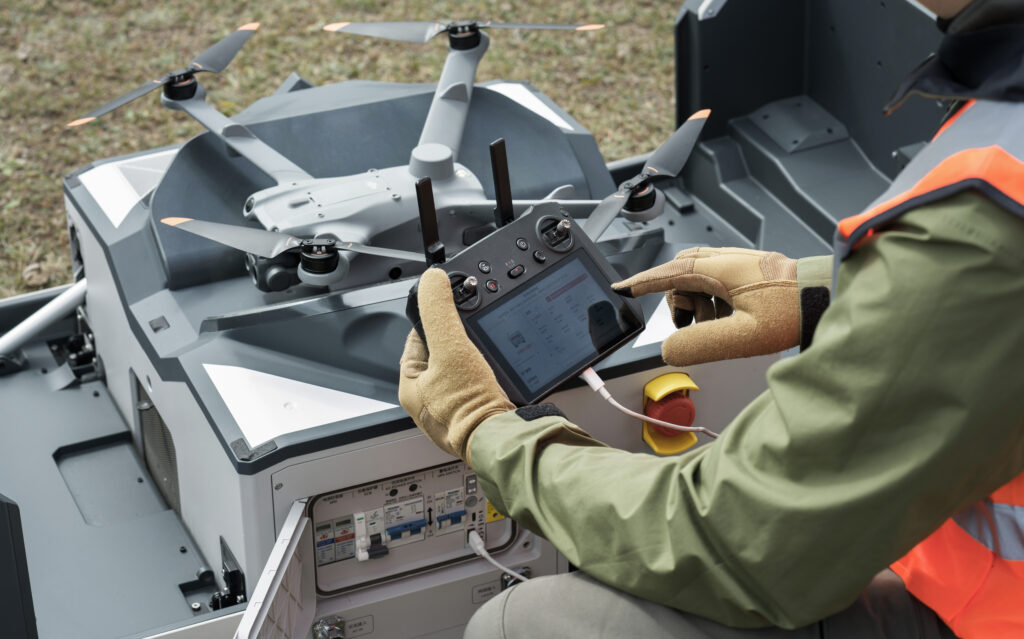
The DJI Dock 2 is a rugged solution designed to work 24/7, regardless of environmental conditions. The DJI Dock 2 allows the use of either an M3D or M3TD drone, which can be configured in the DJI FlightHub 2 to suit your needs. Thanks to this, there is no need to have an operator on site.
Three key features of the DJI Dock 2:
- Cloud-based management: the DJI FlightHub 2 integration provides cloud-based management, enabling detailed mission planning, real-time monitoring and data management from anywhere, anytime.
- Designed for harsh conditions: the Dock 2 is built to withstand harsh weather conditions. Designed to withstand tough environments, the Dock 2 is built to withstand tough conditions. It has an IP55 rating, providing protection from rain and dust, making it reliable and durable in a variety of environments.
- Fast charging options: fast charging allows you to keep working with minimal breaks. The M3D and M3TD drones charge wirelessly from 20% to 90% in just over half an hour, a remarkable charging rate for such a mobile and compact unit.
Dock 2 advantages
While the Dock 1 was a good solution, the DJI Dock 2 is clearly better. Its main advantages are outlined below:
- Smaller size:
Dock 2 is 75% smaller and weighs 68% less than its predecessor. Its smaller size makes it easier to transport and easier to set up. - Precision mapping with RTK:
The compatibility of the DJI Dock 2 with the Matrice 3D series enables a new level of accuracy in the data received from the drone. It offers mapping capabilities that the Dock 1 could not. Consistent centimeter-level accuracy is possible thanks to the Dock 2’s integrated dual RTK module. - Increased durability and performance:
The DJI Dock 2 is equipped with advanced sensors to increase situational awareness, a hybrid charging system and a weatherproof housing (IP55 rating). These features reduce operational interruptions and increase safety during automated missions. Combined with the Dock 2, Matrice 3D offers longer flight times (up to 50 minutes) and a longer range of operation (up to 10 km), allowing larger areas to be mapped or inspected more efficiently. - Improved charging and battery efficiency:
The DJI Dock 2 takes slightly longer to charge the drone’s batteries from 20% to 90% than the Dock 1 (32 minutes compared to 25 minutes). However, the 12V hybrid system offers a number of benefits, including extended battery life and reduced operating costs. Dock 2 ensures mission continuity with a built-in backup battery, allowing the drone to land safely in the event of a power failure using the automatic “Return to Home” (RTH) function. - Reduced maintenance needs:
Dock 2 requires maintenance only twice a year, reducing maintenance costs and potential downtime compared to Dock 1.
Drones compatible with Dock 2
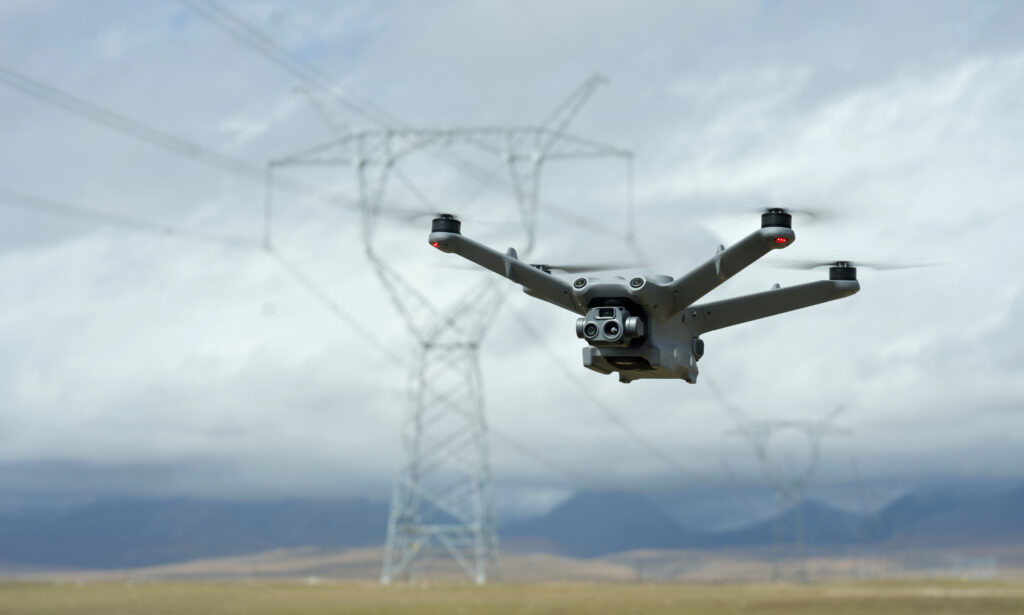
- Matrice 3D: Matrice 3D is equipped with a zoom camera for highly detailed images and a wide-angle camera for distortion-free photos. These features make Matrice 3D ideal for surveying, land management and other tasks where accurate mapping data is required.
- Matrice 3DT: The Matrice 3DT has a versatile camera system that combines wide angle, telephoto and thermal cameras. This makes the Matrice 3DT an ideal tool for infrastructure inspection, search and rescue and public safety applications where both visual and thermal data are required.
Frequently asked questions on Dock 2:
- What is the range of the DJI Dock 2?
The DJI Dock 2 has a maximum effective range of 10 km when used with compatible drones. This range is based on the capabilities of the Matrice 3D series drones. - What weather conditions can the DJI Dock 2 work in?
The DJI Dock 2 has an IP55 rating, which means it is protected from dust and rain. In addition, the Dock 2 can operate in temperatures ranging from -25°C to 45°C. - Is the DJI Dock 2 compatible with older DJI drone models?
No, the DJI Dock 2 is not compatible with older DJI drone models. It is specifically designed for the Matrice 3D and Matrice 3DT series drones. - Does the DJI Dock 2 support third-party children?
Yes, the DJI Dock 2 supports third-party children through Matrice 3D and Matrice 3DT drones with E-Port. This allows you to add additional equipment such as a projector, speaker or parachute, expanding the possible use cases for the drone. - Can I install multiple DJI Dock 2 stations in one location?
Yes, you can install multiple DJI Dock 2 in a single location. DJI software supports the management of multiple Dock 2, allowing you to coordinate and schedule flights from a centralised interface (DJI Flighthub2). This allows you to cover larger areas efficiently.
– The Droon.ee team is certified by DJI to install, maintain and train DJI Dock 2 devices. In addition, we can help your organization apply for the appropriate special category permits to operate the Dock 2.
Take a closer look at the DJI Dock 2 and see how it could benefit your business! If you have any questions or would like to purchase, please contact us by email at info@droon.ee or visit our online shop.